How does a birthday invitation show the name and age?
On a birthday invitation, the name opens the cover and the age line stands under it. You write the age line your way, show the figure large or leave the age out, and choose one of three looks.
On this page
Three looks
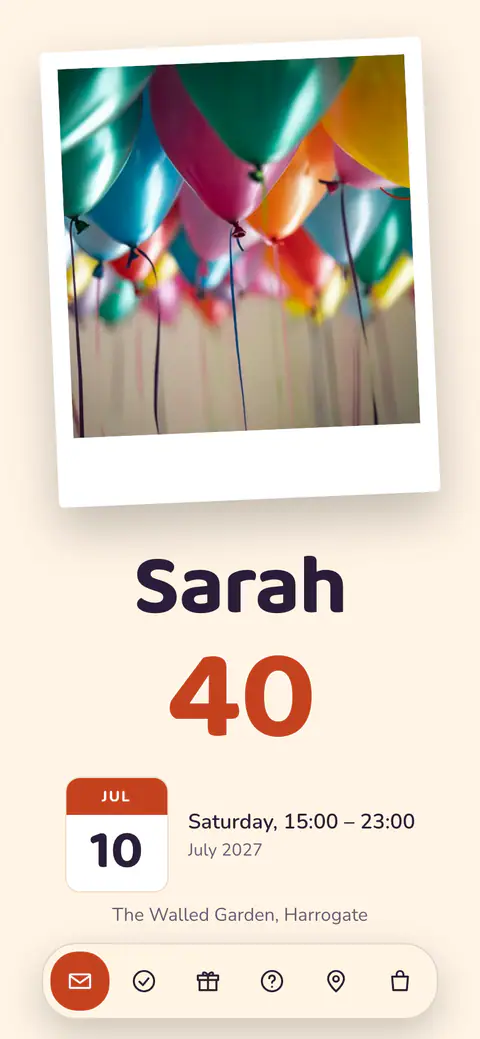

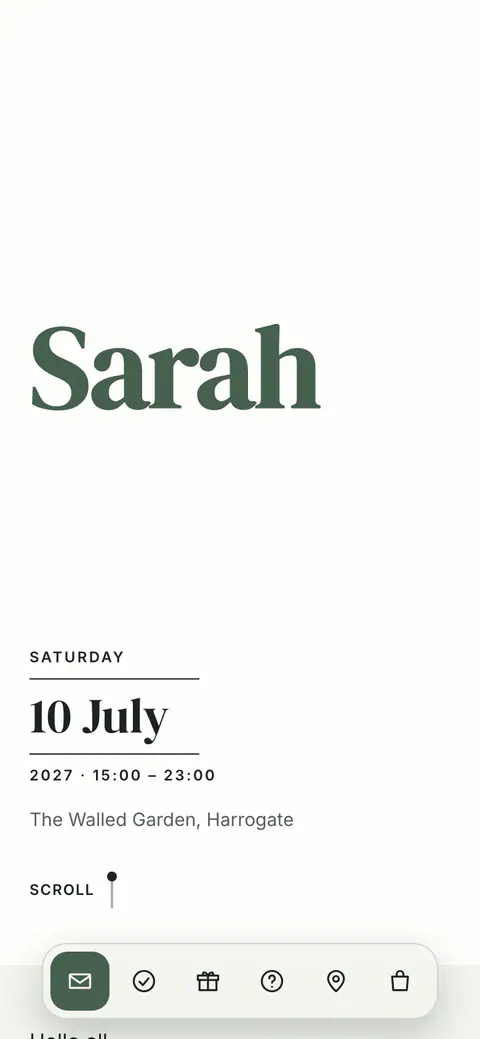
A birthday has three looks: Fête for a children’s party, Club 8 for a party and Salon for an elegant celebration. The one that suits the age is suggested. To choose another, select Age line in Customise design and pick under Look.
The age line
When you create a birthday, you give the name and the age, and you can choose Do not show the age. The age line under the name is yours to write: examples of how to write the age appear while you type.
- In Customise design, select Age line.
- Under How should the age read?, press the pencil and write your line.
- Turn on Show the figure large if the figure should be part of the design. With No photo, it carries the cover.
- Press Save.
The eye beside Age line hides the line. The age itself is in Event settings, where you can change it or remove it.
Was this article helpful?
Related articles
Still need help?
Our support team is here for you.
Chat with us
Ask your question in the chat. A person from our team replies within one business day.
Email us
Write to us from your account’s email address and add a screenshot if you can.
support@vowly.co